hal0 documentation
hal0 turns a Linux box into a polished, OpenAI-compatible inference appliance. It is built for the AMD Ryzen AI Max+ 395 (“Strix Halo”) — iGPU + XDNA NPU + 128 GB of unified memory — and falls back to portable hardware parsers on every other host.
Every inference workload runs as its own podman container, supervised
by a hal0-slot@<name>.service systemd unit. A single control plane,
hal0-api on port 8080, owns the slot state machines, dispatches
OpenAI-compatible /v1/* requests to the right slot, and serves the
dashboard. There is no shared inference daemon to babysit.
Each capability — utility, embed, rerank, stt, tts, img, vision,
agent, and the NPU-conditional flm-stt / flm-embed slots — runs in its
own dedicated podman container. agent is the capable default/fallback
anchor and utility is the cheap helper used for background jobs like
memory extraction.
Hardware support
Section titled “Hardware support”hal0 is first-class on AMD Strix Halo — the Ryzen AI Max+ 395 (128 GB) and the 385 / 390 (64 GB) — with AMD RX 7000-series GPUs also supported. NVIDIA RTX 30/40/50 (via CDI + the NVIDIA Container Toolkit) is experimental, and CPU-only x86_64 hosts work as a fallback. There is no minimum-spec gate — backend selection degrades to CPU rather than refusing to run.
What you get
Section titled “What you get”- OpenAI-compatible
/v1/*API — chat, completions, embeddings, rerank (/v1/rerankings, plus the/v1/rerankalias for llama.cpp/Cohere-style clients), audio transcription, speech, and image generation. Point any OpenAI SDK athttp://localhost:8080/v1and go. - Hardware-aware slots — each capability gets its own container, image, flags, port, and lifecycle, sharing only the GPU through an arbiter.
- Profiles — bench-tuned llama-server flag bundles per backend
(
rocm,rocm-dnse,rocm-moe,vulkan,cuda, dedicatedembed/reranklanes, and more) that a slot picks up for its image, flags, and MTP behavior. - Stacks — named, exportable bundles of slot + profile + model
assignments (built-in
saber,forge, andpi) that you can load, clone, and re-apply as a single declarative unit. - Hardware-anchored install —
install.shprobes your hardware and provisions a coherent set of slots, models, and extensions in one pass — no separate setup wizard to run afterward. - Prewired chat UI — OpenWebUI on port
3001, zero config. - Signed self-update — cosign-verified tarballs with one-flag rollback.
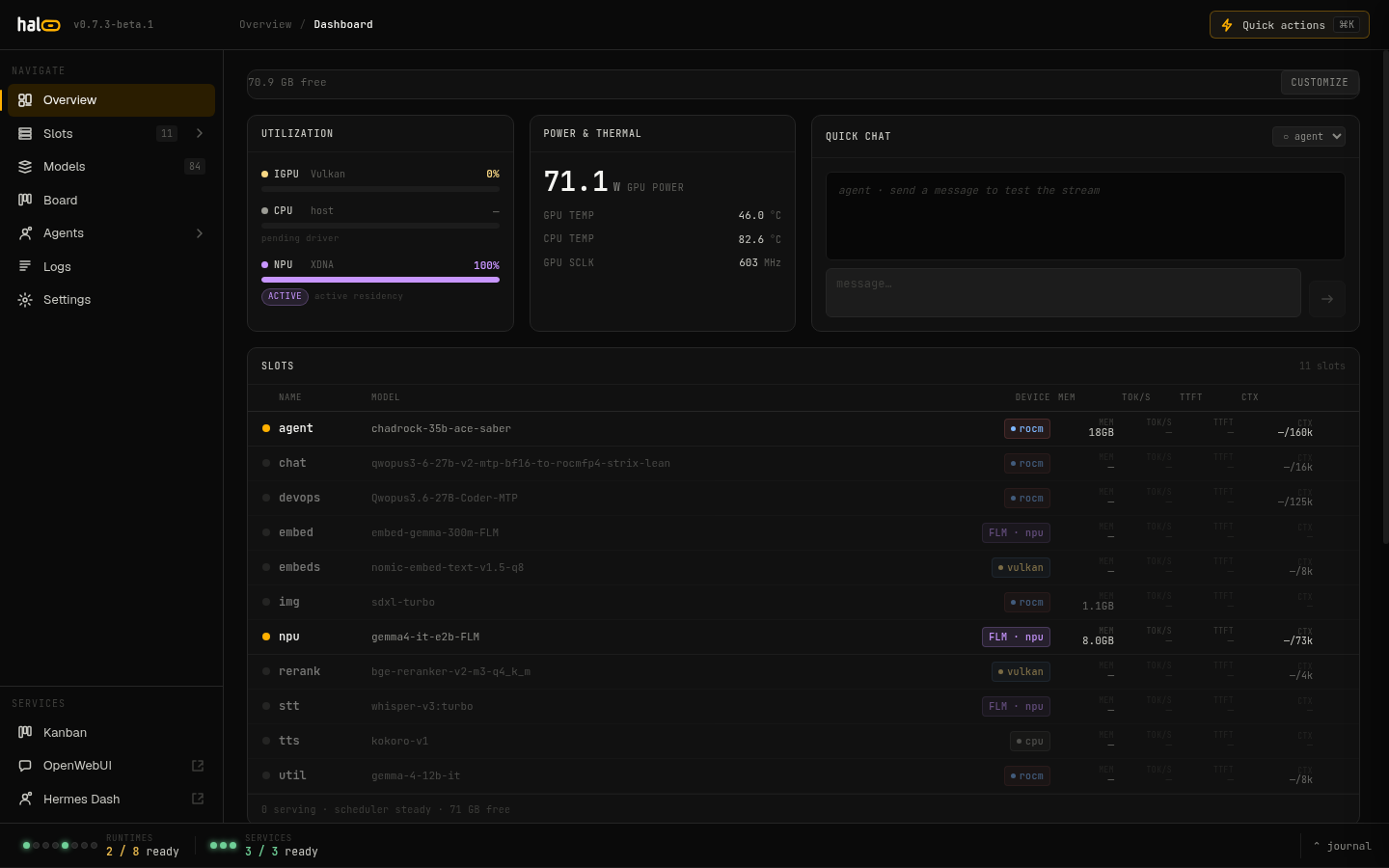 The hal0 dashboard — slot status, hardware metrics, and quick actions.
Start here
Section titled “Start here”Sections
Section titled “Sections”getting started
Install, first model, first chat. Bare metal, Proxmox, WSL.
8 pages →concepts
Slots, stacks, profiles, memory, agents, and the Strix Halo itself.
8 pages →guides
Task by task: pull models, manage slots, wire MCP, roll back.
12 pages →operate
Services, auth, and error reporting for a box you actually run.
3 pages →reference
CLI, config schema, slot lifecycle, env vars, and the API.
13 pages →